Everything between a song and a finished fireworks film
Choreograph with 62 physically modelled shells, preview and render in the browser. Here is what each part does.

Design the show
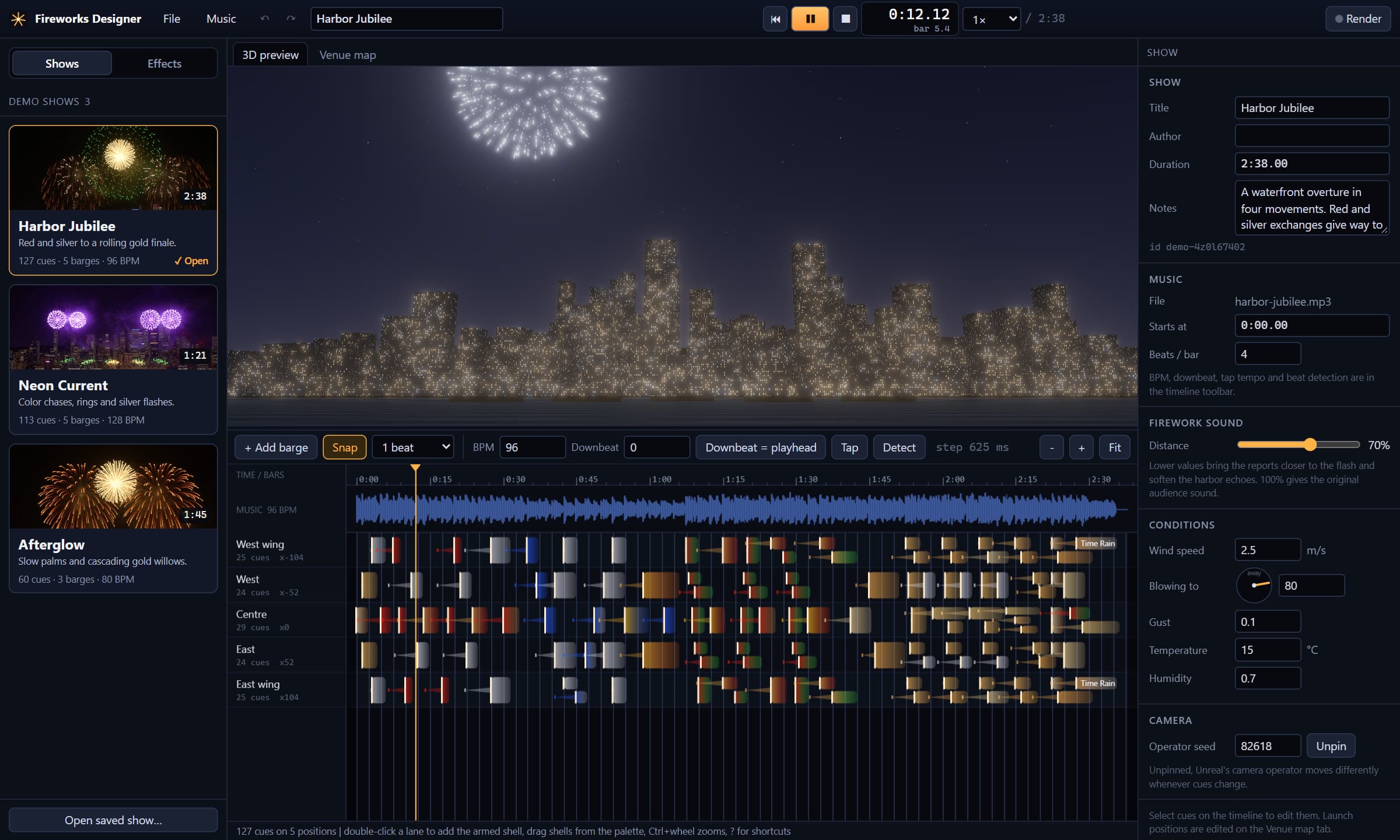
See and hear it before it exists
3D preview in the browser
Scrub the show over the harbor, driven by the reference pyrotechnics simulator.
Learn moreRealistic rendering
WebGPU in the browser: lit volumetric smoke, reflections and a video-camera look.
Learn morePhysical sound
Speed-of-sound delay, air absorption, echoes off the skyline and the water.
Learn moreDeliver it to the people who decide
Video export
MP4 renders from audience, wide and close cameras with the show's soundtrack.
Learn moreWatch pages
A link per render with break marks, shell names and angle switching.
Learn moreOpen show format
Shows are plain JSON files checked against a schema. Same file, same seeds, same frames.
Learn moreDesign and render in the same browser tab
The designer and the renderer share one thing: the show file and the shell definitions. Both run the same pyrotechnics simulator, in Web Workers, so what you time on the timeline is exactly what you get in the render.
The realistic renderer uses WebGPU and continues every spark on the graphics card, so a dense finale plays in 4K at 36 frames per second on a desktop RTX 4080, with nothing installed.
Design your first show tonight.
The designer runs in your browser with three demo shows and the full shell library. No account, no install: your shows and music stay on your computer.