A fireworks timeline that thinks in breaks, not button presses
Every cue sits where the sky lights up. Lift time, fuse and visible duration come from the shell itself, so you design what the audience sees.
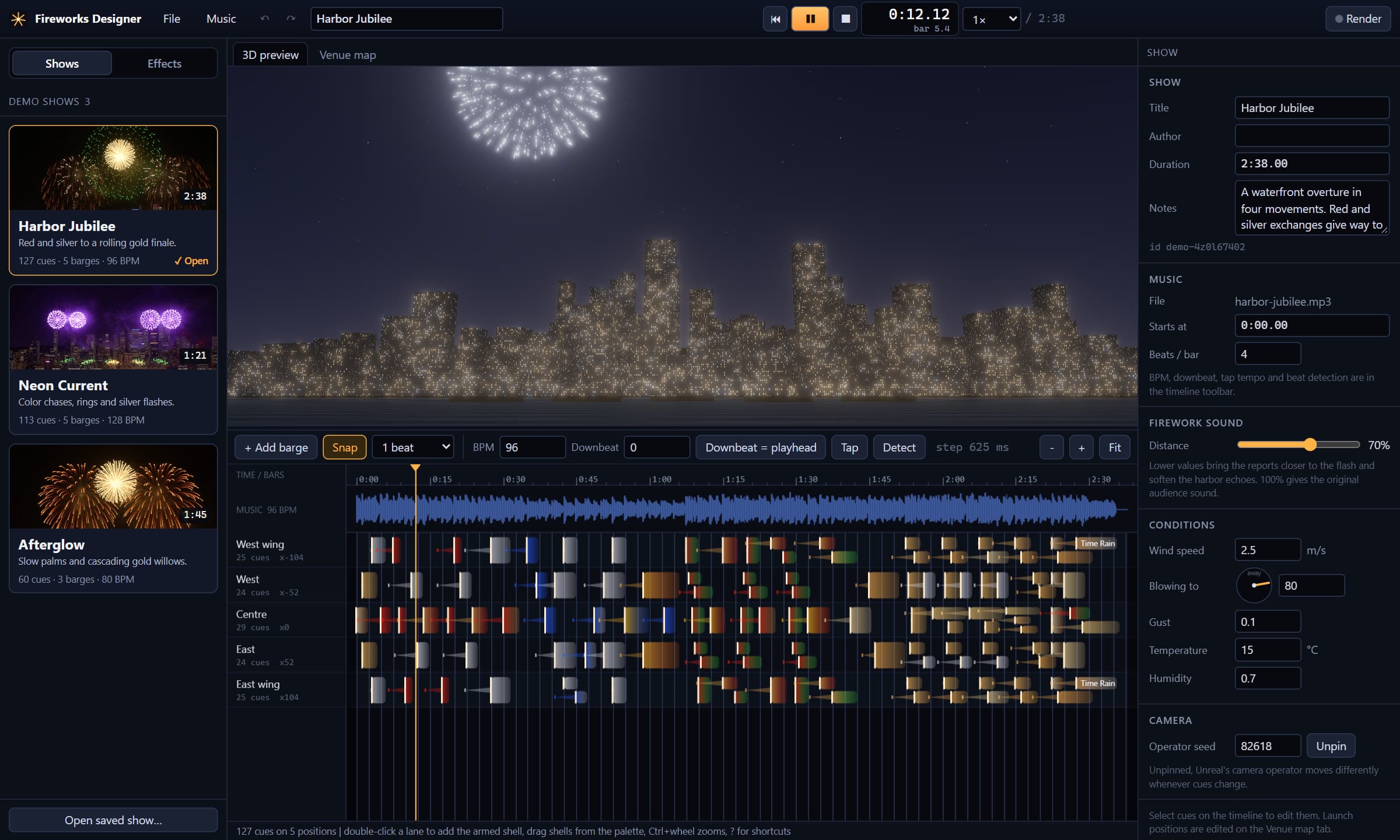
One lane per barge, one block per cue
The thin line before a cue is the lift, the block after it the visible effect. Drag cues along the lane or across barges, marquee-select a passage, hold Alt to move freely without snapping.
- Snap targets: beat grid, other breaks and the playhead.
- Multi-edit: change shell, tilt, heading or seed for every selected cue at once.
- Fan ±30°: spread the tilts of a selection into a fan in one click.
- Undo history for every edit, and keyboard shortcuts for the common ones (press ?).
62 shells you can audition
Filter the library by family, caliber and colour. Press play on a shell to see it burst on its own, then drag it onto a lane or arm it and double-click where it should go.
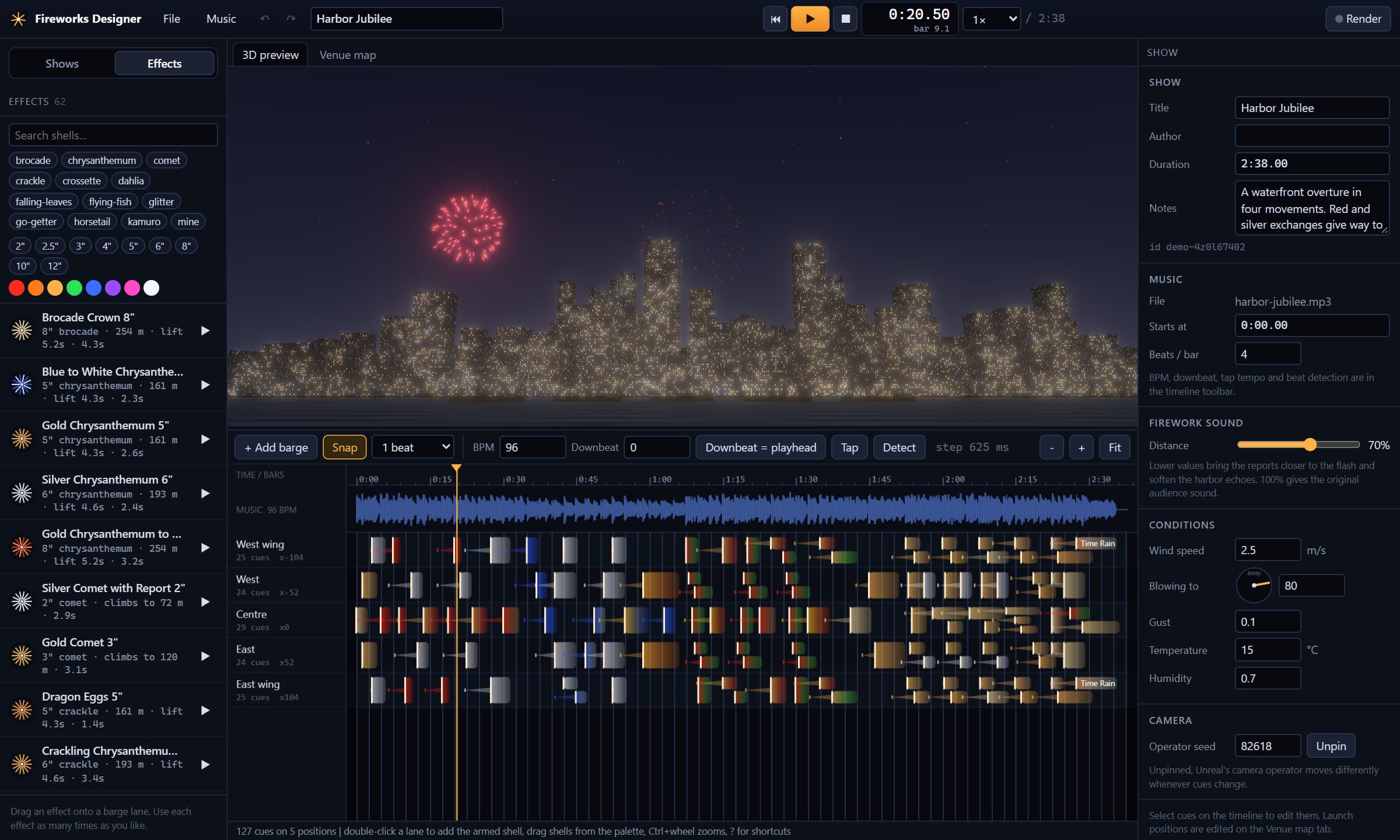
3D preview
The preview runs the reference pyrotechnics simulator in web workers, so bursts in the browser follow the same physics as the render.
Seeds and determinism
Each cue has a seed. Change it to get a different but equally real burst; keep it to get the same one every time.
Files you own
Export and import shows as JSON, checked against the show schema. Your music never leaves your computer.
Show designer: common questions
Does the designer need an account?
No. Open app.pyroviz.com and start. Shows autosave to your browser (IndexedDB); export a show file to move it to another computer.
What is the difference between break time and launch time?
Launch is when the mortar fires; break is when the shell bursts, seconds later and hundreds of metres up. PyroViz places cues by their break and computes the launch from the shell's lift time.
Can several cues fire from the same barge at once?
Yes. Overlapping cues stack inside the lane, and each barge can hold any number of cues.
Which browsers are supported?
Current Chrome, Edge and Firefox for everything. The realistic renderer needs a browser with WebGPU.
Design your first show tonight.
The designer runs in your browser with three demo shows and the full shell library. No account, no install: your shows and music stay on your computer.